Instant Access
One set of credentials opens your full account, including the cashier, bonus balance, loyalty points and the complete game lobby, across desktop and mobile.
Login at Luckyvibe: Sign In with 2FA
Access your pokies, live dealer tables and sportsbook in seconds. Sign in from desktop or mobile with the same credentials on every device.
Keeping Your Account Secure
What You Should Do
What You Should Avoid
Your Luckyvibe Account at a Glance
Instant Access
One set of credentials opens your full account, including the cashier, bonus balance, loyalty points and the complete game lobby, across desktop and mobile.
Two-Factor Authentication
Enable 2FA on your account for an additional security layer. Each login session then requires a one-time code alongside your password.
Mobile Sign-In
The Luckyvibe login screen is fully optimised for iOS and Android browsers. Biometric login on your device works with the browser shortcut added to your home screen.
Luckyvibe uses a single set of credentials across every device and platform. Your registered email address and password are all that is required to access the full account, including the cashier, live dealer tables, pokies lobby, sportsbook and bonus balance. Two-factor authentication can be activated in your security settings, adding a one-time code step that runs alongside your password on each sign-in. Players who prefer biometric access can use Face ID or fingerprint recognition through their mobile device’s browser once a shortcut has been added to the home screen.
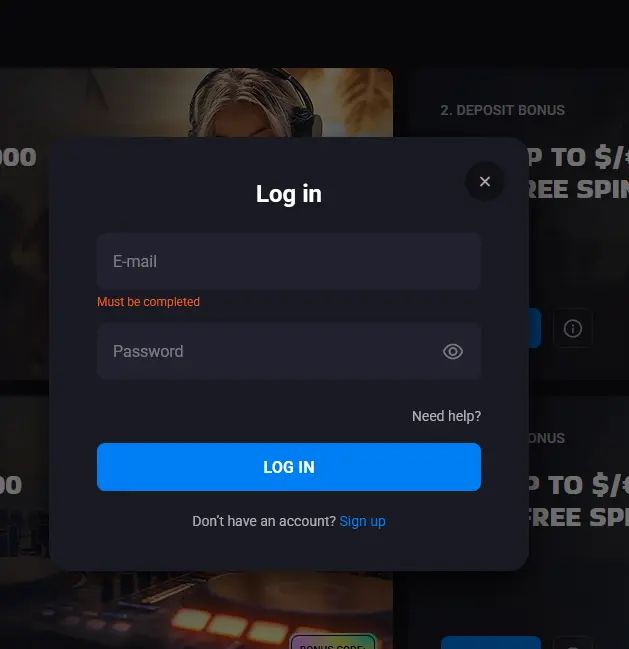
Open luckyvibeslots.com in any current desktop browser, locate the Log In button in the top-right corner of the page, and enter your registered email address and password. If two-factor authentication is active, enter the one-time code when prompted. Your account dashboard loads immediately, showing your real-money balance, any active bonus funds, and the full game lobby.
Open your device’s browser, navigate to luckyvibeslots.com, and tap Log In. The site detects your screen size automatically and presents the same login form in a layout built for touchscreens. Enter your email and password as you would on desktop. For faster return access, go to your browser’s menu and select Add to Home Screen to create a shortcut icon. Tapping that icon in future sessions takes you directly to the login screen without typing the address each time.
Luckyvibe does not have a native application available through the App Store or Google Play. The mobile browser version delivers the full feature set, including live dealer streams, sports betting and the cashier, and performs on a par with a dedicated app. Once the home screen shortcut is in place, the experience is functionally identical to opening a native application. For a full guide to setting up the shortcut and what is available on mobile, visit the app page.
Most login difficulties at Luckyvibe fall into one of four categories, each with a straightforward fix.
A forgotten password is the most common issue. The Forgot Password link sits directly on the login screen. Enter the email address associated with your account and a reset link arrives within minutes. If the email does not appear in your inbox, check your spam or junk folder before contacting support.
A temporary account lock occurs after a set number of consecutive failed login attempts and is a standard fraud-prevention measure. It lifts automatically after a short cooling period, or you can contact live chat support to have it reviewed and cleared sooner.
An unrecognised device or location can trigger an additional verification step, particularly if this is your first login from a new browser, phone or country. Keeping your account details current, completing KYC verification in advance and having access to the email or phone number on your account will allow these checks to clear without delay.
A deactivated or suspended account requires direct contact with the support team via live chat or email at [email protected]. Support is available 24/7 and can confirm the status of any account and what steps are needed to restore access.
Your Luckyvibe account holds personal information and real-money funds, so treating login credentials with the same care as online banking is worthwhile. Use a password that is unique to this account and that combines letters, numbers and at least one special character. Two-factor authentication, available in account settings, means that a stolen password alone is not enough for an unauthorised person to gain access. Never provide your password or any one-time code to anyone who contacts you by chat, email or phone, including people claiming to be Luckyvibe support agents. Legitimate support staff will never ask for your password.
Completing KYC verification early is the most practical step for protecting your withdrawal access. Once your Australian driver’s licence or passport, proof of residential address (a utility bill or bank statement) and payment method details have been verified, future withdrawals process against a clean record. Delays at the point of withdrawal almost always relate to outstanding KYC documents rather than technical issues.
For bonus-related account access, including checking which bonus offers are active on your account, log in and navigate to the Promotions section of your dashboard.
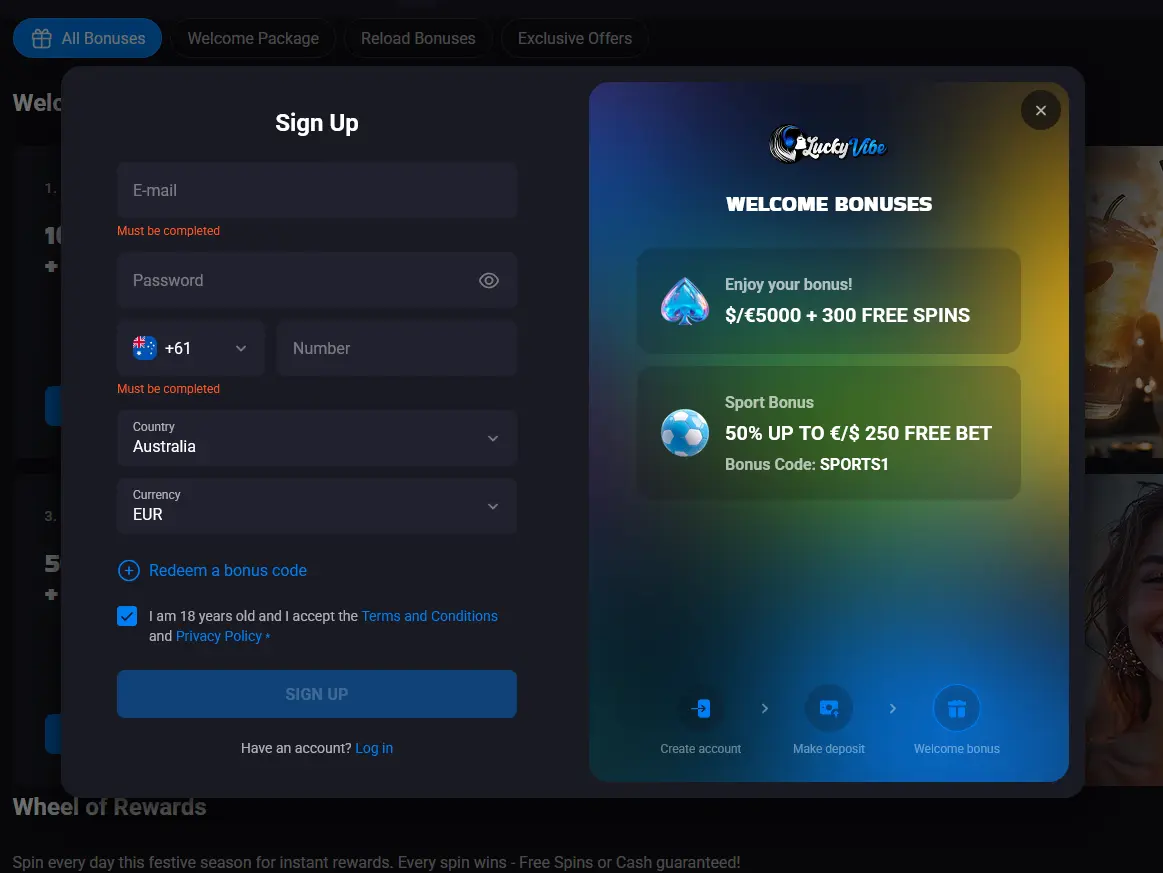
Registration at Luckyvibe is a short process that takes under two minutes. You provide your email address, create a password, confirm that you are 18 or over, and select Australia as your country with AUD as your preferred currency. Email confirmation completes the account setup and your first deposit can follow immediately, unlocking the welcome package for new players. Registration is available directly through the website on desktop and mobile browsers.
Login Questions Answered
Click the Forgot Password link on the login screen, enter the email address registered to your account, and a reset link will arrive in your inbox within minutes. Check your spam folder if it does not appear.
Yes. The full Luckyvibe site runs in the mobile browser on iOS and Android devices. You can also add a shortcut to your home screen for one-tap access without navigating through the browser each time.
Repeated failed attempts trigger a temporary account lock as a fraud-prevention measure. Use the Forgot Password link to reset your credentials, or contact live chat support to have the lock reviewed.
Logging in from an unfamiliar device or location may prompt an additional security check. Completing KYC verification in advance and keeping your contact details up to date helps these checks clear quickly.
Ready to Play? Log In Now
Grab 100% up to $5,000 and 300 free spins.
Enter the Casino Play responsibly. This site is for players 18 years and older. Bonus offers are subject to terms and conditions.